
Video
Video meetings in the browser, without an app.
The guest opens a link and waits in a waiting room. You let them in when you are ready.
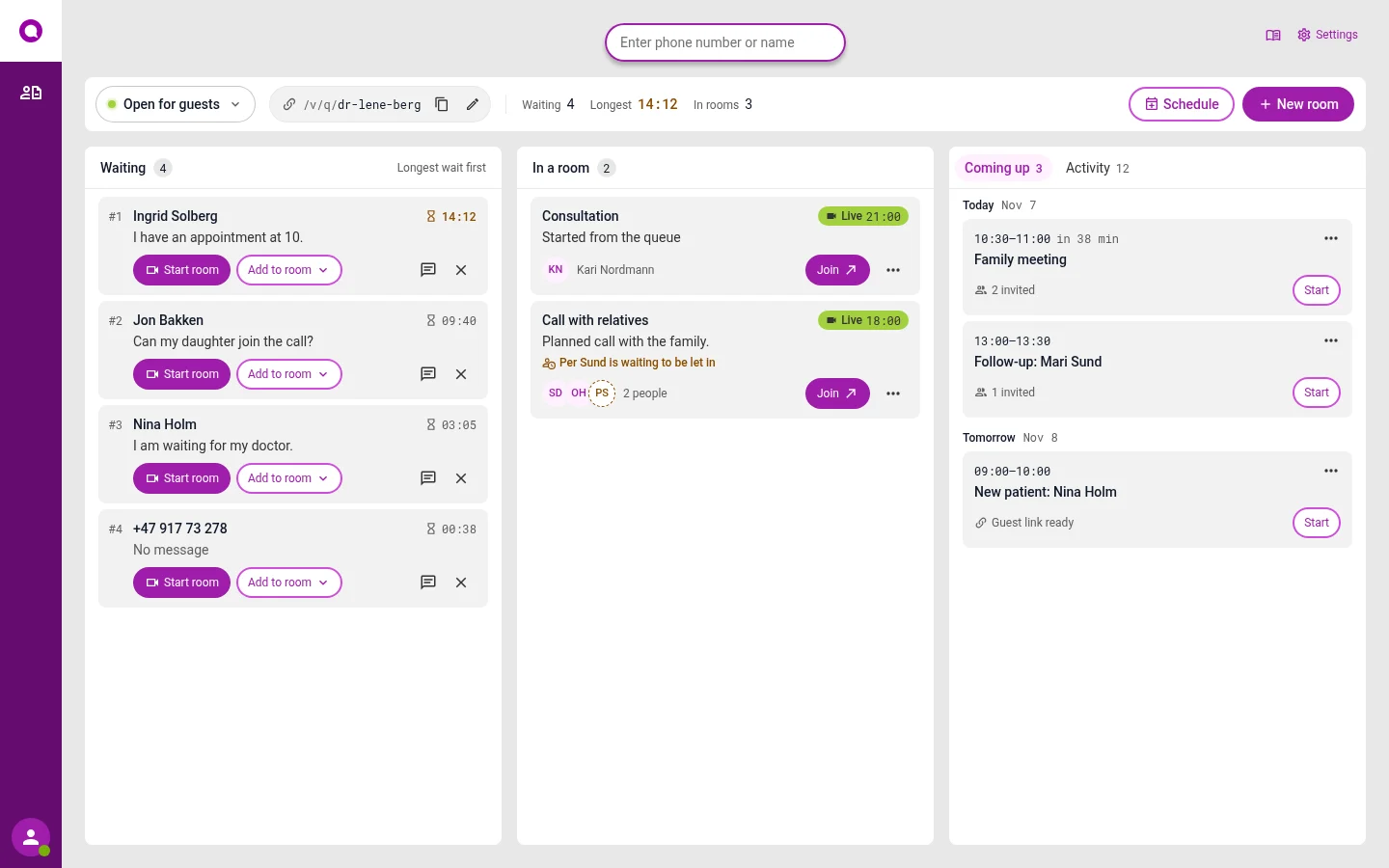
Each employee has their own fixed link
Share the link with the person you are meeting. It works every time, so you do not need to make a new one.
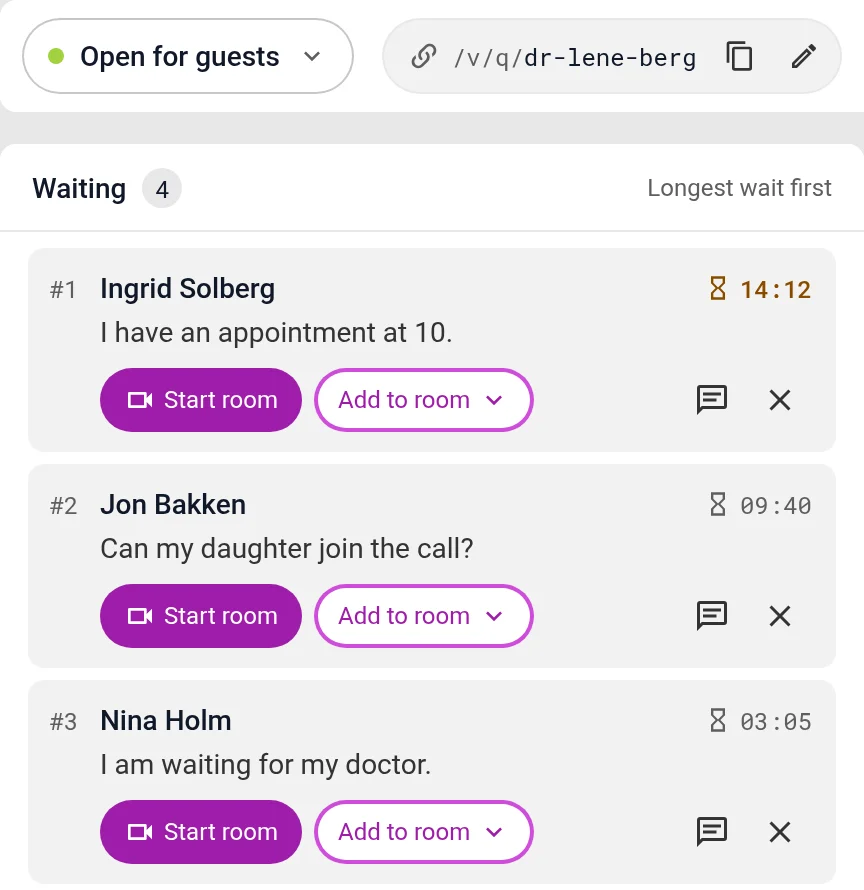
- See who is waiting, and for how long
- Send a message to the person who is waiting
- Start a meeting, or bring the guest into a meeting that has started
- Close the queue when you are not taking more guests
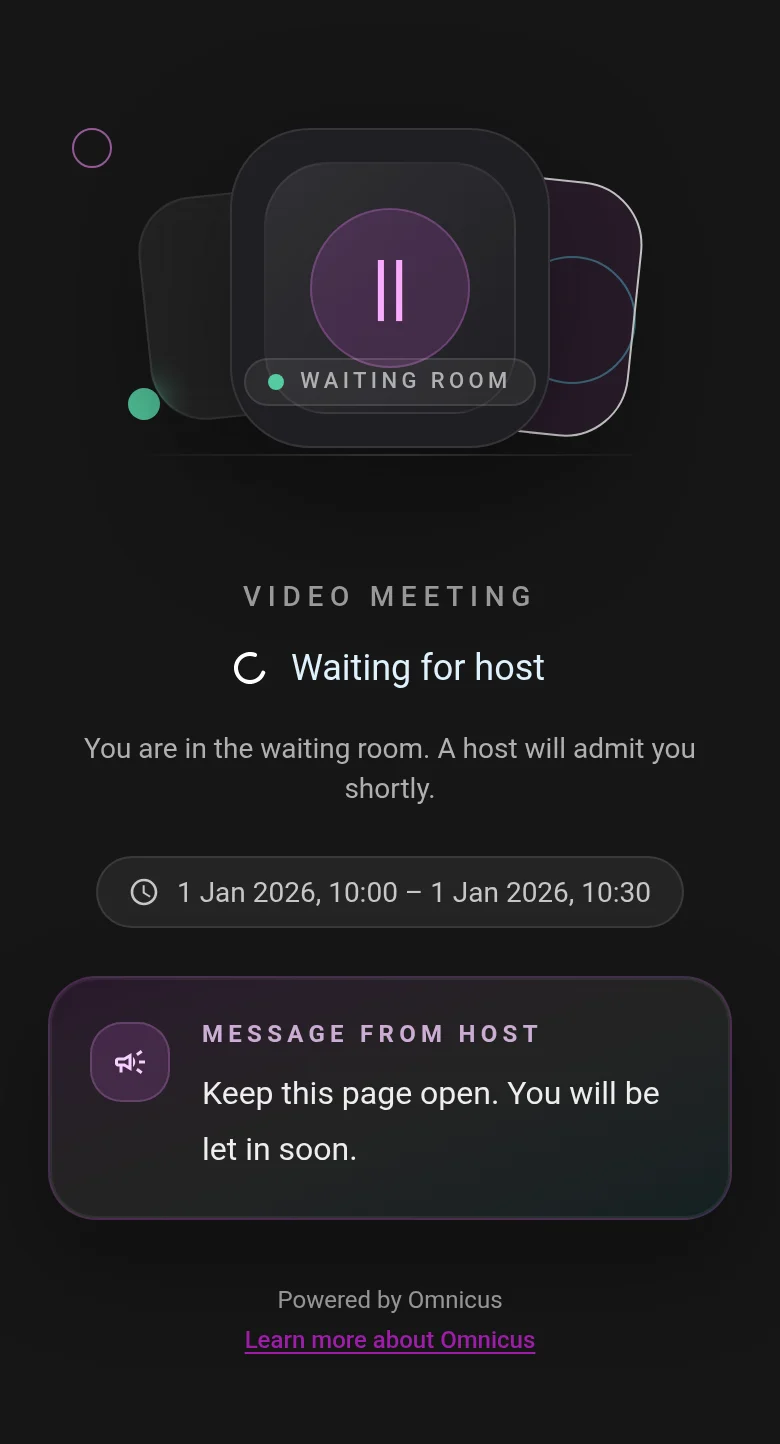
The guest only needs a browser
The guest types in their name and waits. The screen tells them they will be let in soon.
- Works on mobile and computer
- No app and no login
- The guest sees the messages you send
What is included
Meetings
Book ahead, or start right away.
- Booked meetingsSet a time, and invite the guests. They get the link in advance.
- Instant meetingsPress New meeting, and share the link.
- Several meetings at onceEach colleague can run their own meetings.
In the meeting
What you can do during the meeting.
- Share your screenShow a document or a picture. Only you can share.
- More guestsBring more people into the same meeting, for example a family member.
Privacy
We store as little as we can, for as short a time as we can.
- Name and number are removedWhen the meeting ends, the guest's name and number are removed.
- Deleted after one dayEverything else about the meeting is deleted automatically after one day.
- Stored in the EUWith Google Cloud in Belgium.
Questions about video
Does the guest have to download anything?
No. The guest opens the link in the browser on their phone or computer.
What is stored after the meeting?
The name and number are removed when the meeting ends. Everything else about the meeting is deleted after one day.
Can the guest share their screen?
No. Only the person who runs the meeting can share the screen.
Is video part of the switchboard?
Yes. You log in at the same place, and your colleagues are the same.
See it set up the way you work
In the demo we show the channels you need, with the queues and opening hours you have today. We also answer questions about price and getting started.