
SMS
Send one SMS to everyone who needs it.
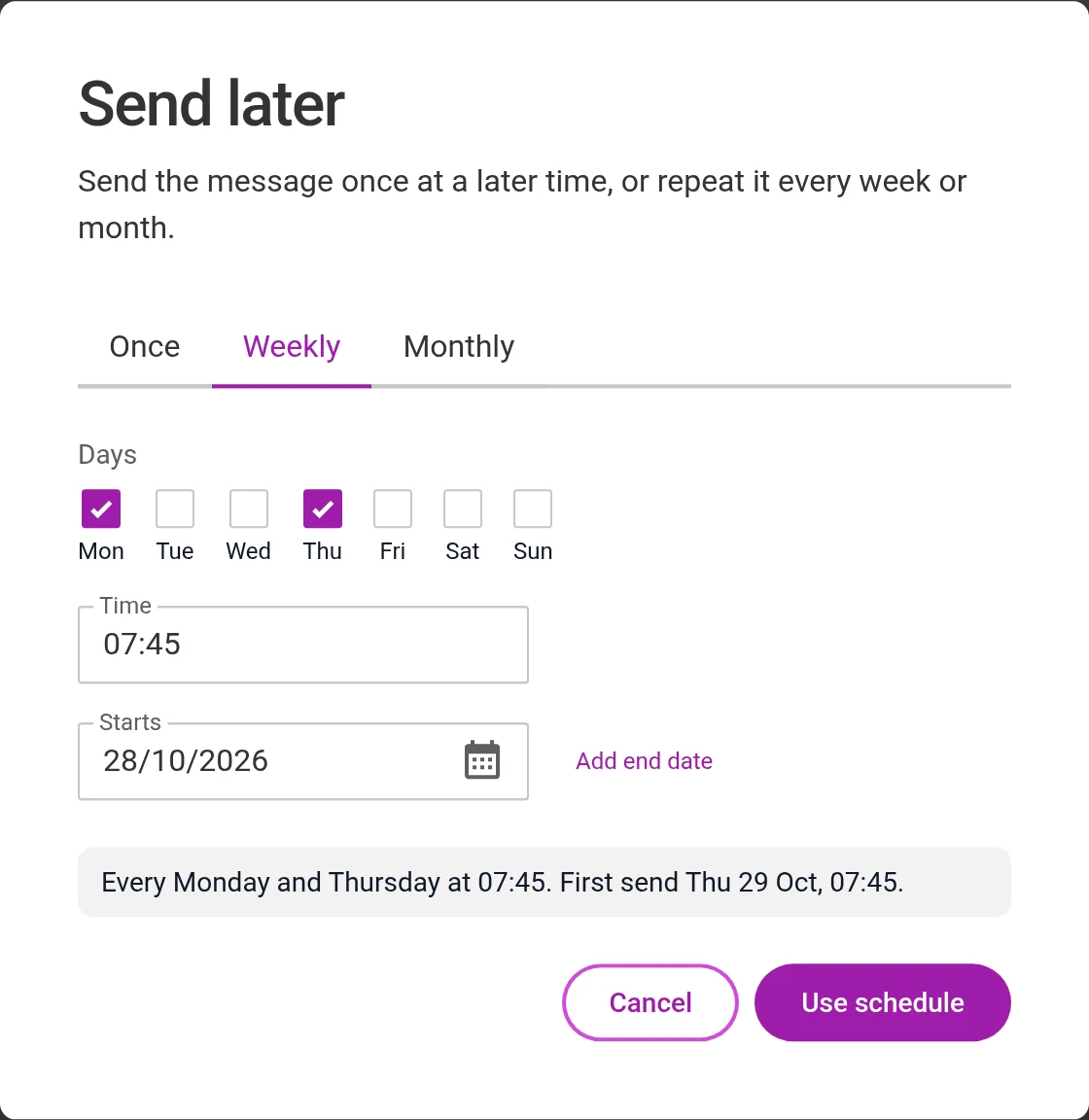
Choose one person, a department, a list or everyone. You can see who has received the message.
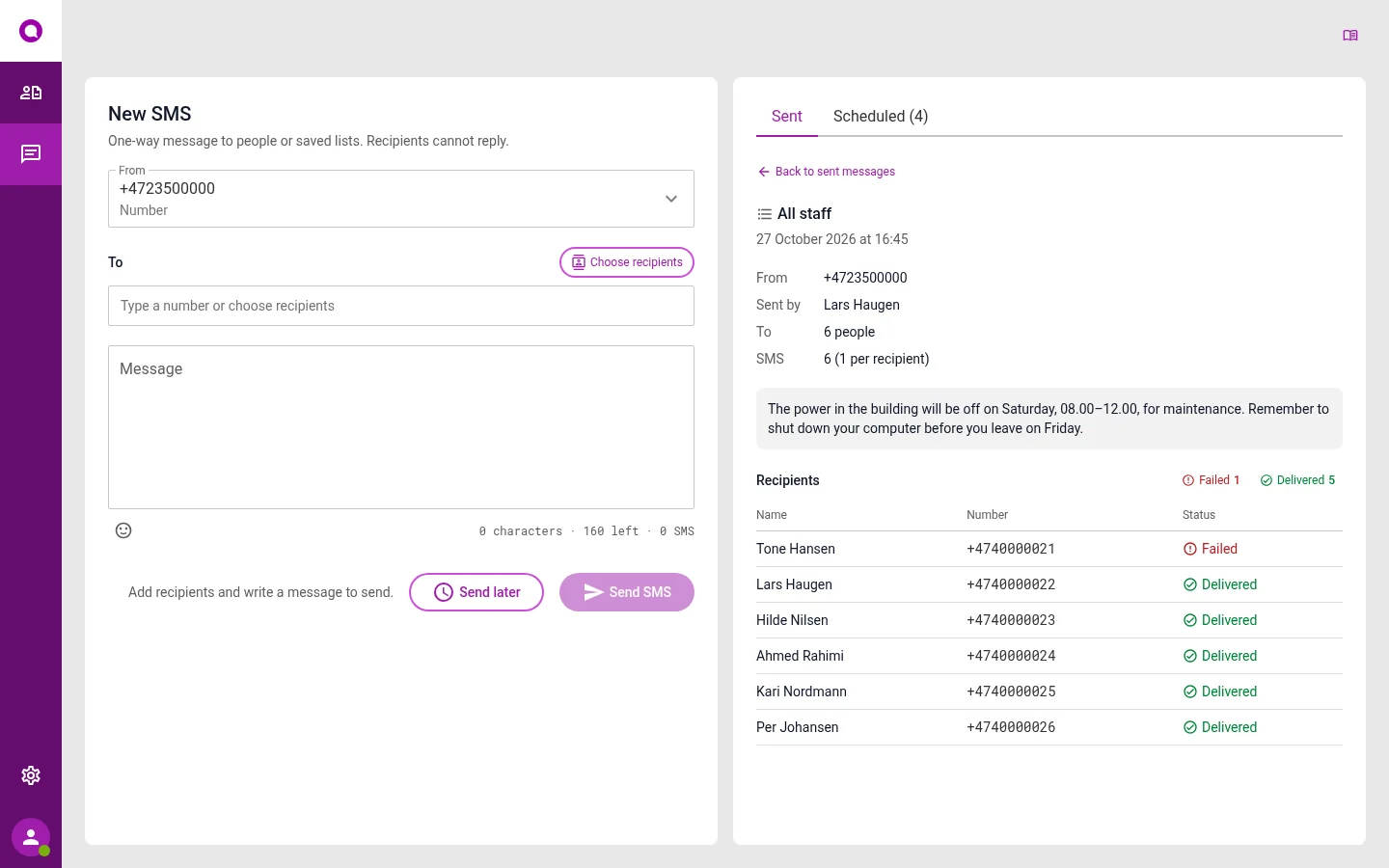
Choose who gets it
Send to one person or to many. Type in a number, choose colleagues or use a list you have made. You see how many people will get the message before you send it.
- Make lists, for example On call or Emergency team
- People without a mobile number are skipped
- You see how many characters you have left
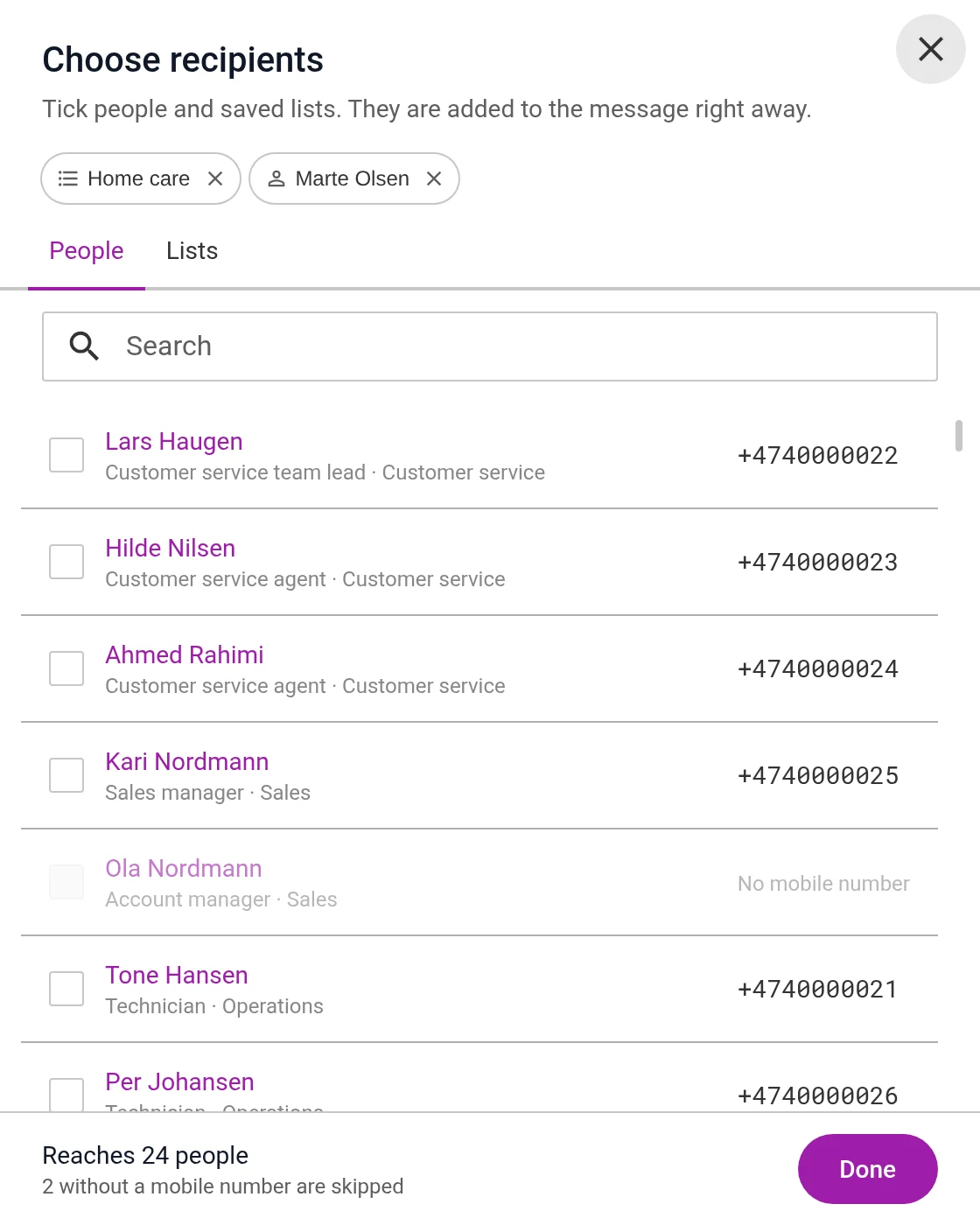
Send now, later or every week
Choose a day and time. If the message should go out every week or every month, Omnicus does it for you.
- Set an end date if you need one
- Pause the sending, or stop it
- See all planned messages in one place
What can you use it for?
GP practices
When patients need to know something.
- Closed for a day“The practice is closed on Friday. If you need help, call the out-of-hours service on 116 117.”
- Vaccine reminder“Remember your flu vaccine. We vaccinate without an appointment on Thursday, 15–18.”
Business
When the building or the day changes.
- Closed building or power cut“The power is off on Saturday, 08–12.”
- Reminder every MondayWrite the message once, and it goes out every week.
Municipalities
When many people need the same message.
- Message to home care services“The shift change has moved to 15.00 today.”
- Alert to the emergency team“Meet in the crisis room at 10.00.”
Questions about SMS
Can the recipients reply?
No. The message goes one way, so the recipients cannot reply to it.
Who is shown as the sender?
You choose a number or a name, for example the name of your municipality.
Can we see if the message arrived?
Yes. For each recipient, you see if the message is delivered, waiting or failed.
Can we send to just one person?
Yes. Type in the number, or choose the person in the address book. The message goes one way, just as when you send to many.
Who can we send to?
Colleagues and contacts in the address book, lists you have made, and numbers you type in yourself.
See it set up the way you work
In the demo we show the channels you need, with the queues and opening hours you have today. We also answer questions about price and getting started.