
Opening hours
Change your opening hours yourself.
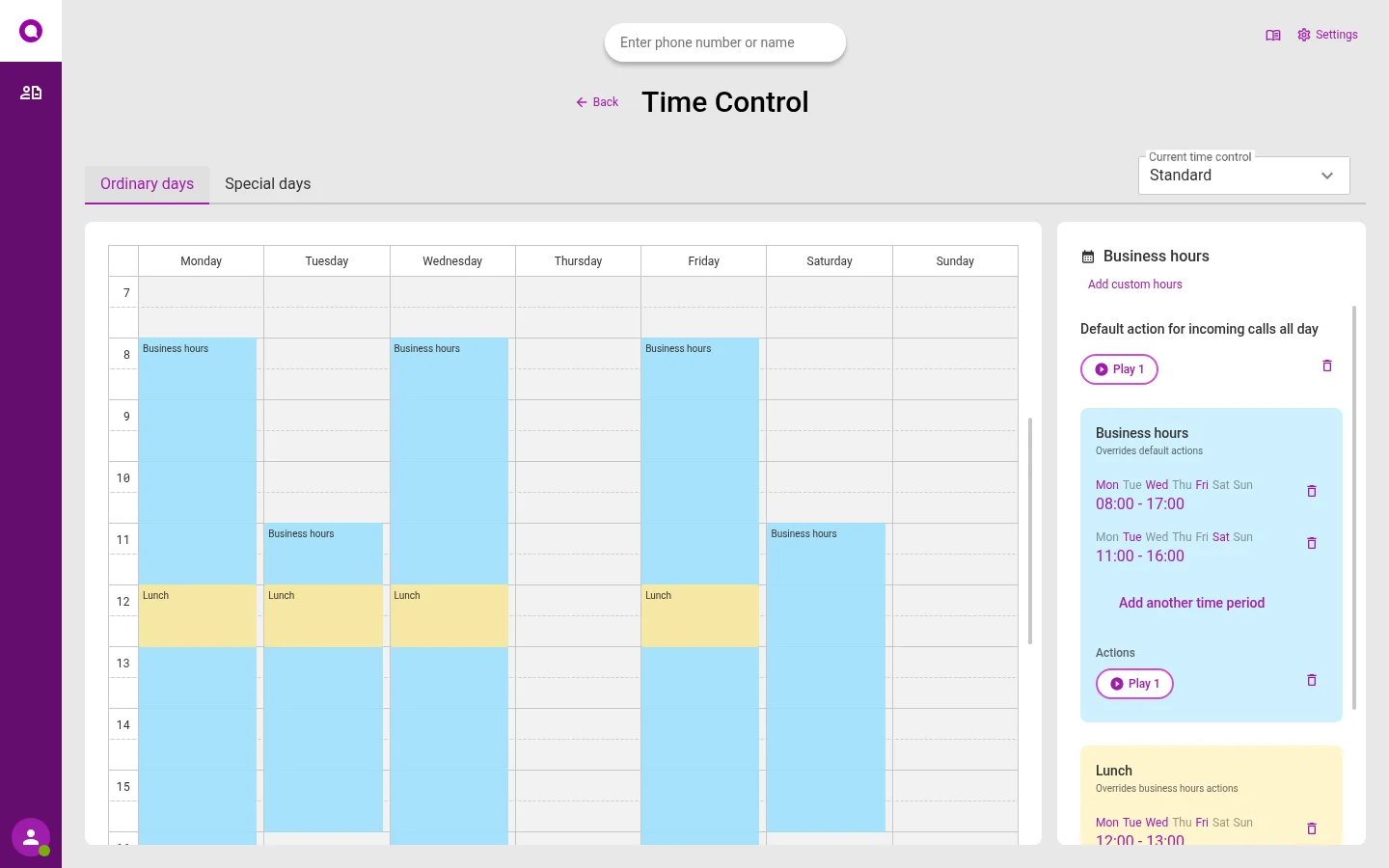
Open, lunch, closed and public holidays. You change them in a calendar, without waiting for help.
Choose what callers hear
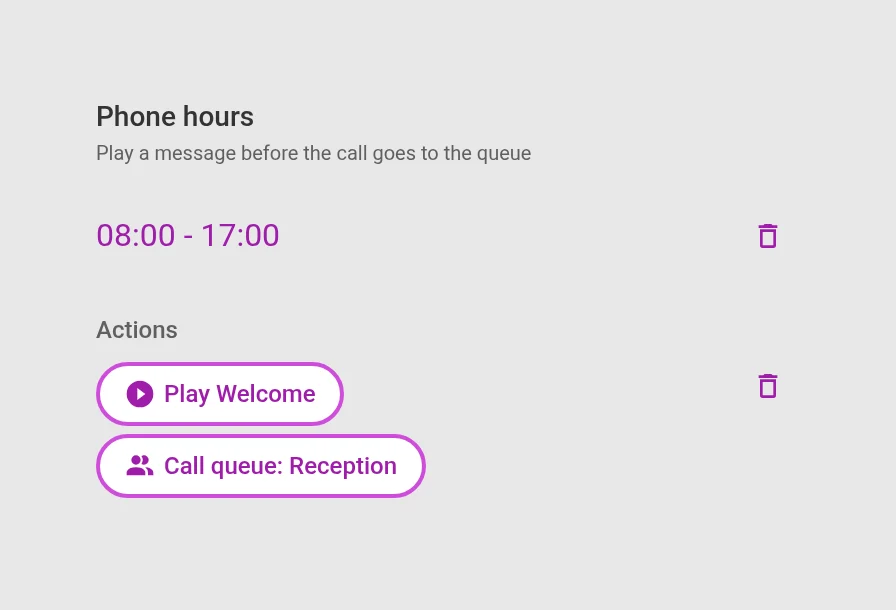
For each part of the day, you choose what happens. Play a message, start a phone menu, send to the queue or call a number.
- Drag in the calendar, or type in the time
- Add your own times, for example phone hours
- Changes apply straight away
Public holidays are already there
All Norwegian public holidays are in the calendar, for every year. Choose what callers hear on public holidays, once. Add your own days, for example Christmas Eve or a planning day.
“The calendar Omnicus has is brilliant. Having a pre-recorded answer that just goes in automatically on public holidays is magic.”
Quotes translated from Norwegian.
Four kinds of times
Opening hours
When you answer the phone.
Lunch
Used instead of opening hours.
Your own times
For example phone hours or evenings. Used instead of lunch.
Special days
Public holidays and other days. Used instead of all other times that day.
Questions about opening hours
Can each department have its own times?
Yes. Make one calendar for each department or queue.
What happens on 17 May?
17 May and the other public holidays get what you have chosen for public holidays, for example their own message. It applies every year.
Do we have to record the messages?
No. Write the text, and it is read out. Read about Studio.
See it set up the way you work
In the demo we show the channels you need, with the queues and opening hours you have today. We also answer questions about price and getting started.