
Omnicus Connect · app for Windows and Mac
Get an alert on your computer when someone calls.
Click a number to call. Share your screen with support when you need help.
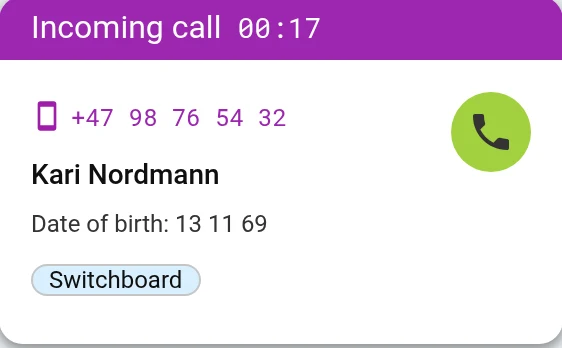
Alert when someone calls
You see the call on your screen, even when the browser is behind other windows. Answer or decline with one click.
Call from other programs
Click a phone number in the patient records system, an email or a document. The call starts in Omnicus.
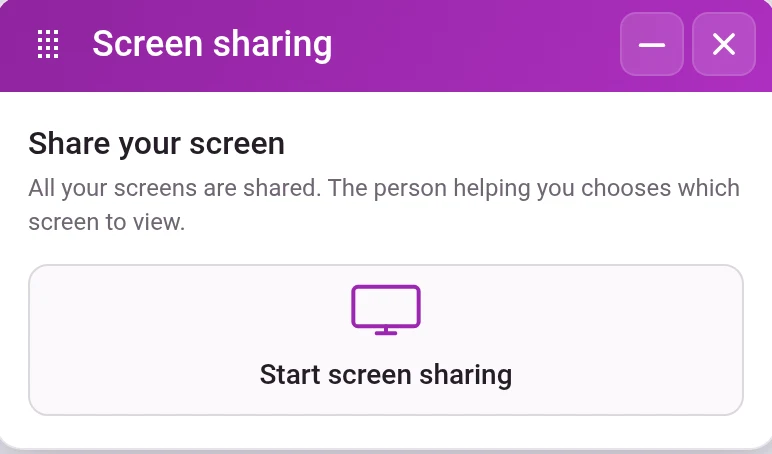
Share your screen
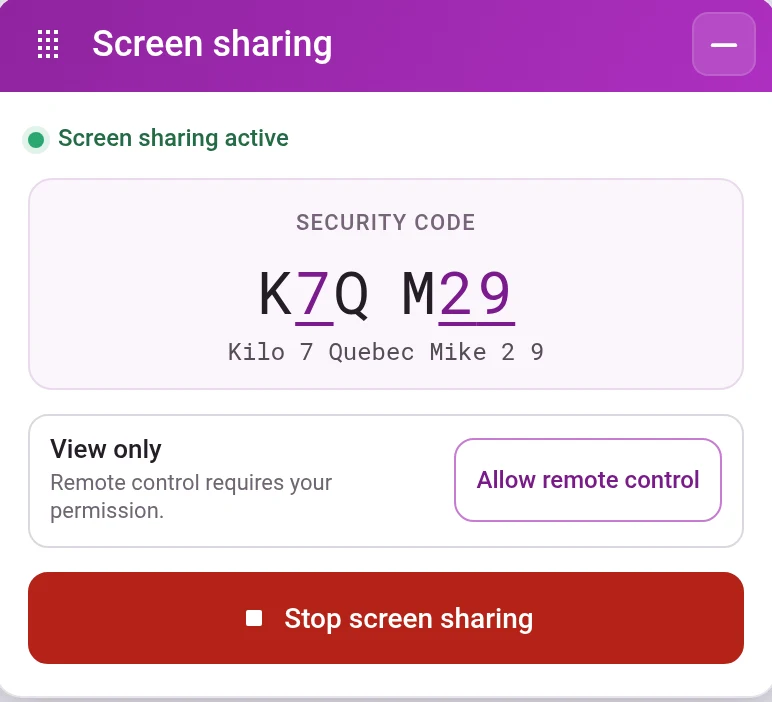
Start screen sharing, and give the code to the person who will help you. They see your screen, but cannot control it until you allow it.
Open the patient's record in WebMedConnect on Windows
When a patient calls, Connect looks the patient up in WebMed. You answer and open the record with one click.
Share your screen with a code
Press Start screen sharing. You get a code that you read out to the person who will help you. You stop when you want.
- Works even when you are not logged in to Omnicus
- The person helping you can only watch, until you allow remote control
Questions about Connect
How do we get the app?
Send an email to support@omnicus.com, and you will get a link to download it.
Do we have to use Connect?
No. The switchboard works in the browser without Connect. The app gives you a few extra options on your computer.
How do I call from other programs?
Choose Omnicus as the default app for phone numbers on your computer. The help centre shows how (in Norwegian).
See it set up the way you work
In the demo we show the channels you need, with the queues and opening hours you have today. We also answer questions about price and getting started.