
 Contact centres
Phone, email and chat in one place.
You see everything the customer has written and said before. Follow the numbers today, and see how they change over time.
Does this sound familiar?
“Each channel has its own system.”
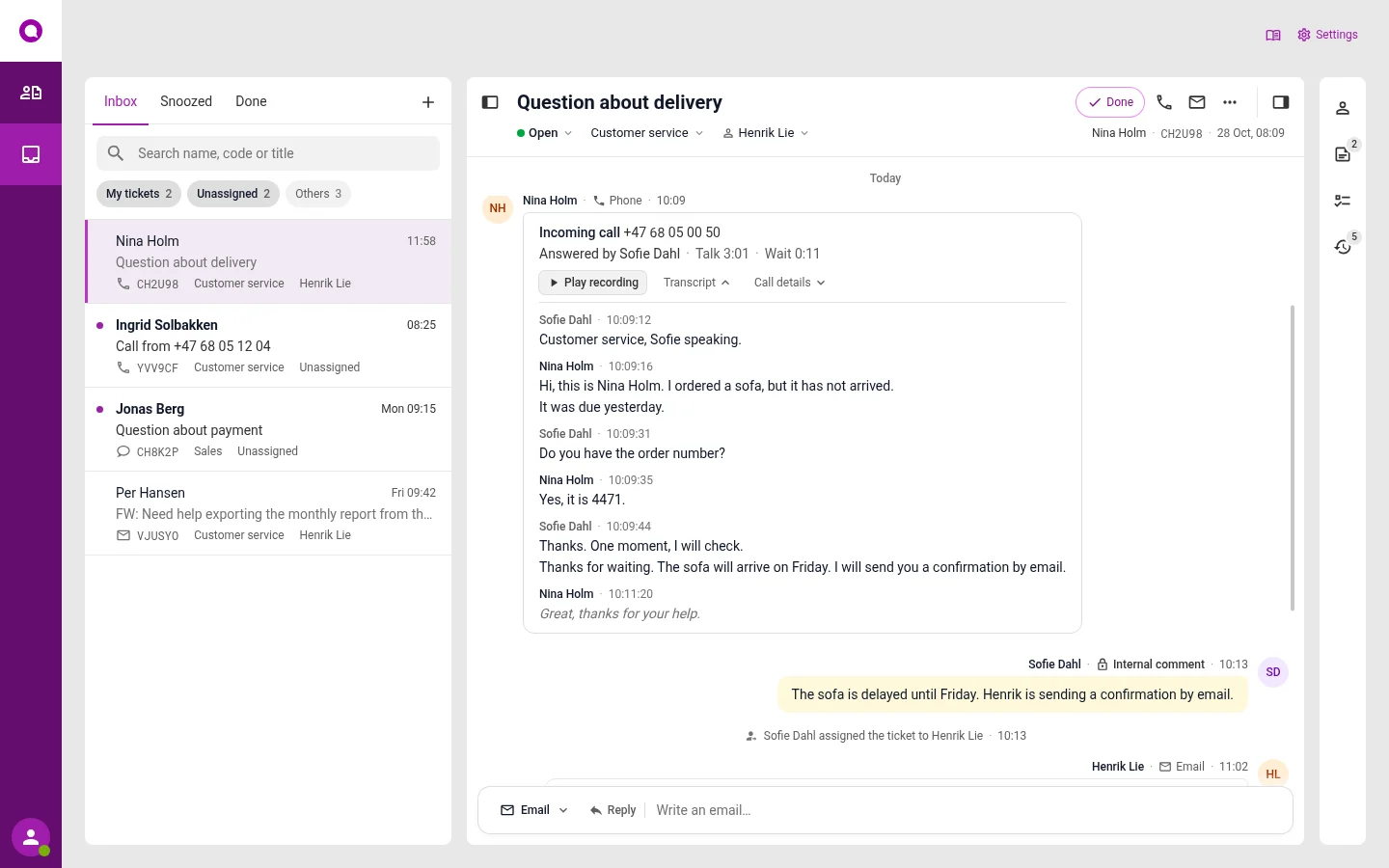
Phone, email, chat, Messenger and SMS end up in the same inbox.
See the inbox
“We search and copy between systems.”
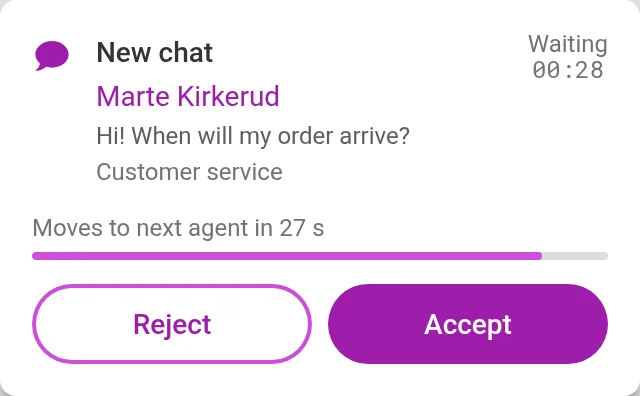
The whole history follows the case. Notes from your colleagues are in the case.
“The numbers are spread out.”
Reports for all channels in one place, and a wall screen that shows the queue.
See reports
“Many people ask about the same thing.”
AI answers what you have decided, for example opening hours and delivery times. The rest goes to a colleague.
“New staff and home working take time to set up.”
Omnicus runs in the web browser. You log in wherever you are.
The case goes to someone who can answer
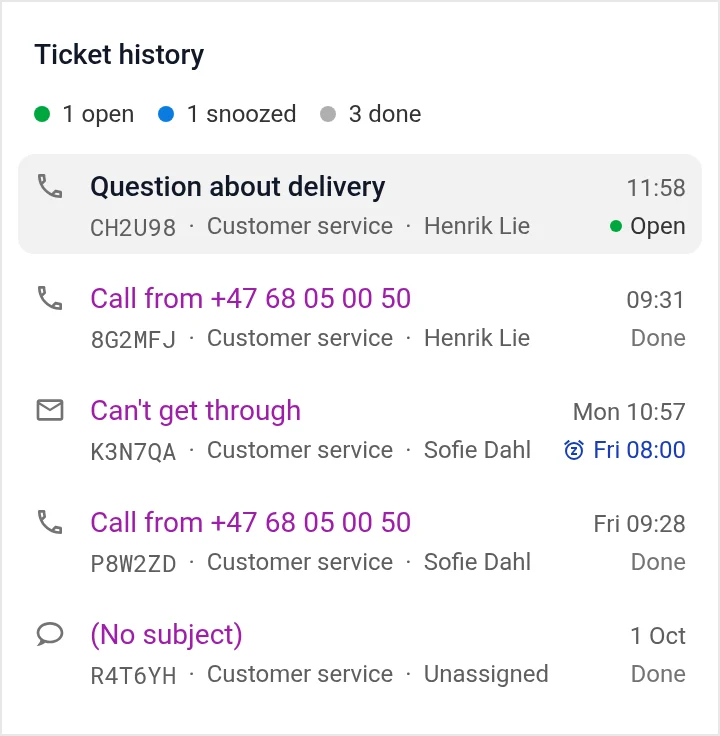
You make the rules, and AI sorts the cases. When a case needs a person, it shows up for someone who is free. If the first person does not answer, it moves on.
Read about queues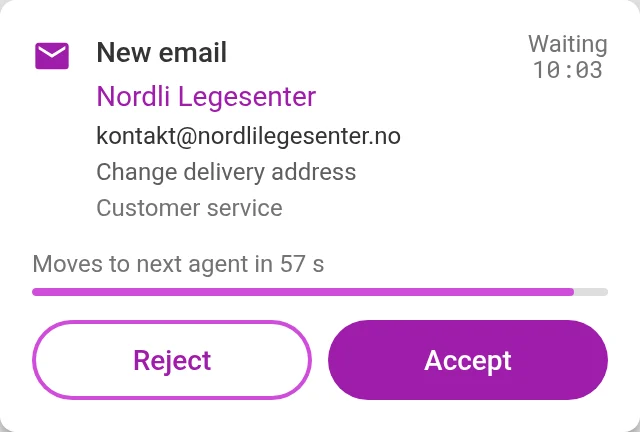
The whole history in the case
Before you answer, you see earlier cases from the same customer and notes from your colleagues.
- Calls can be recorded and turned into text
- Listen to calls again, and see what you can do better
- AI sorts the cases, and answers what you have decided
- Recordings are deleted after 1–365 days, as you choose
“We find Omnicus to be an all-round good, solid and stable solution for our use, in dialogue both with internal departments and with our end customers. We get personal and fast support when we need it.”
 Roy AasheimSales and customer service manager, Løvenskiold
“Omnicus has a fantastic system to offer. Both for contact centre solutions and statistics. You can always get help from skilled people who know a lot.”
 Heidi BirkelandContact centre manager, Limbra
Quotes translated from Norwegian.
Questions from contact centres
Can we start with just phone?
Yes. Inbox, chat, video and SMS can be turned on later, with the same users and queues.
Can we see the numbers for each channel?
Yes. Choose the channel, queue and time period for each chart.
Can we show the queue on a screen?
Yes. The screen shows how many are waiting, for how long, and who is free.
See it set up the way you work
In the demo we show the channels you need, with the queues and opening hours you have today. We also answer questions about price and getting started.